
So, here I am catching up - again!!
I have been poorly with a flu type virus. Oh my goodness, I knew I was poorly when I had no energy for either making cards or online shopping!
These cards are some of what I have been up to during the last few weeks.


I have been tagged by Gloria this week too.
1.) Link your tagger and list these rules on your blog.
2.) Share 7 facts about yourself on your blog, some random, some weird.
3.) Tag 7 people at the end of your post by leaving their names as well as links to their blogs.
4.) Let them know they have been tagged by leaving a comment on their blog.
7 facts about me~
1. I have blue eyes that change to turquoise in the summer sun.
2. I have a degree in art, textiles and technology - ha! electronics and metal work - like I've used these skills in my life :lol:
3. I love to wear stripes
4. I am a hopeless cook - if I have to cook then I make sandwiches :lol:
5. My favourite country to visit is Italy - sun, sea and ermmm..... pizza!!
6. I am incredibly shy
7. It's taken me all week to get this far, my brain is boggled thinking of 6 so number 7 has been abandoned!
I tag:
and anyone else who reads this and wants a challenge :)




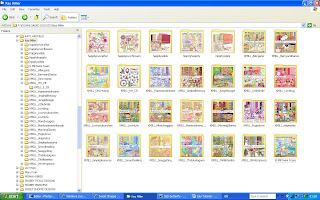 Hey presto! An organised and very pretty looking folder of digital kits.